🚀 Official Launch on 25 August 2026

Work Together.
Connect Remotely.

A secure workspace combining team chat, meetings, projects, files, time tracking with timesheets and client billing, and remote desktop access. Self-hosted, for IT teams, agencies and support desks.

Free for 7 days — no card, no payment details.

Available for: Windows macOS Linux Android iOS — soon
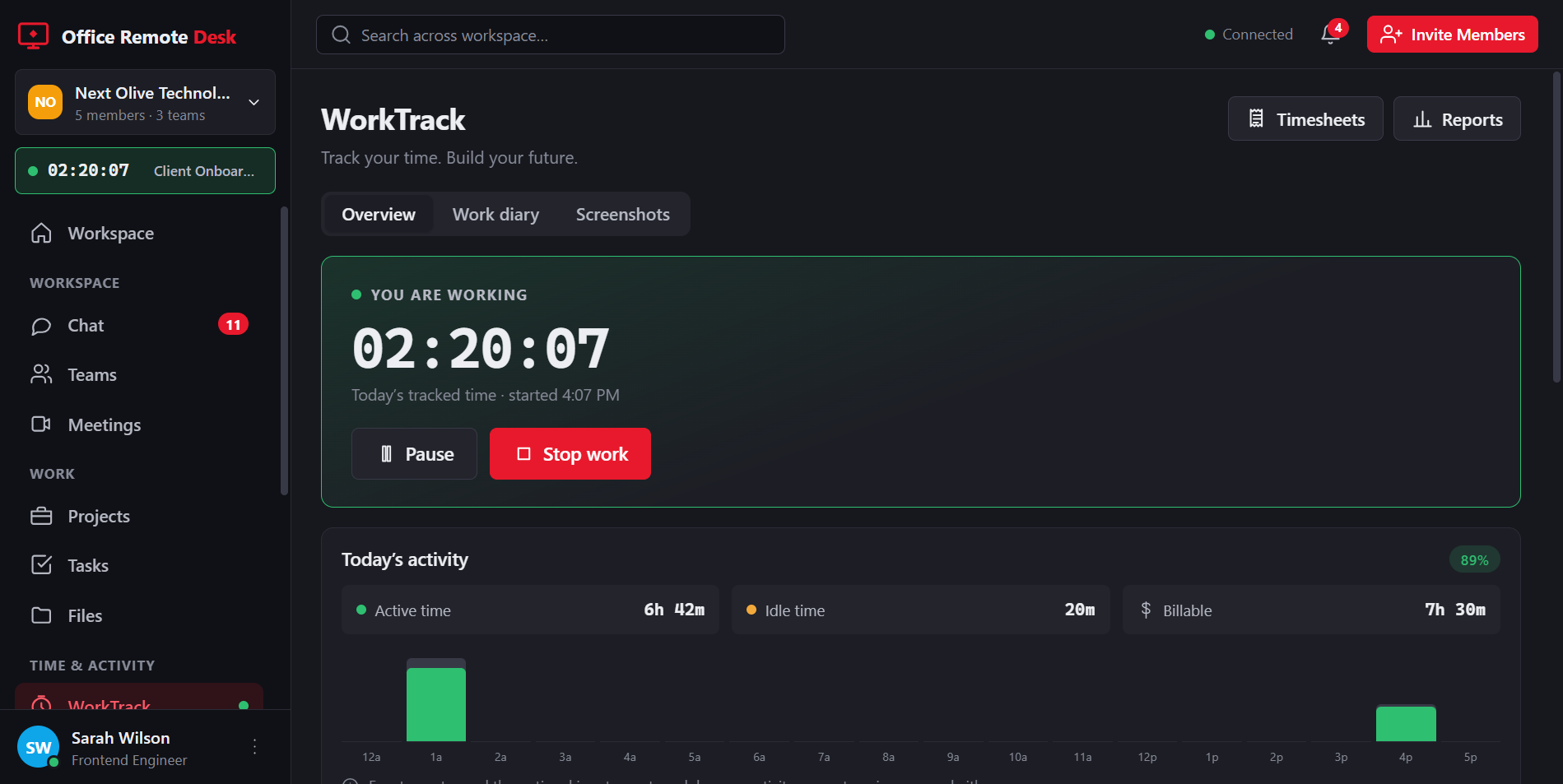
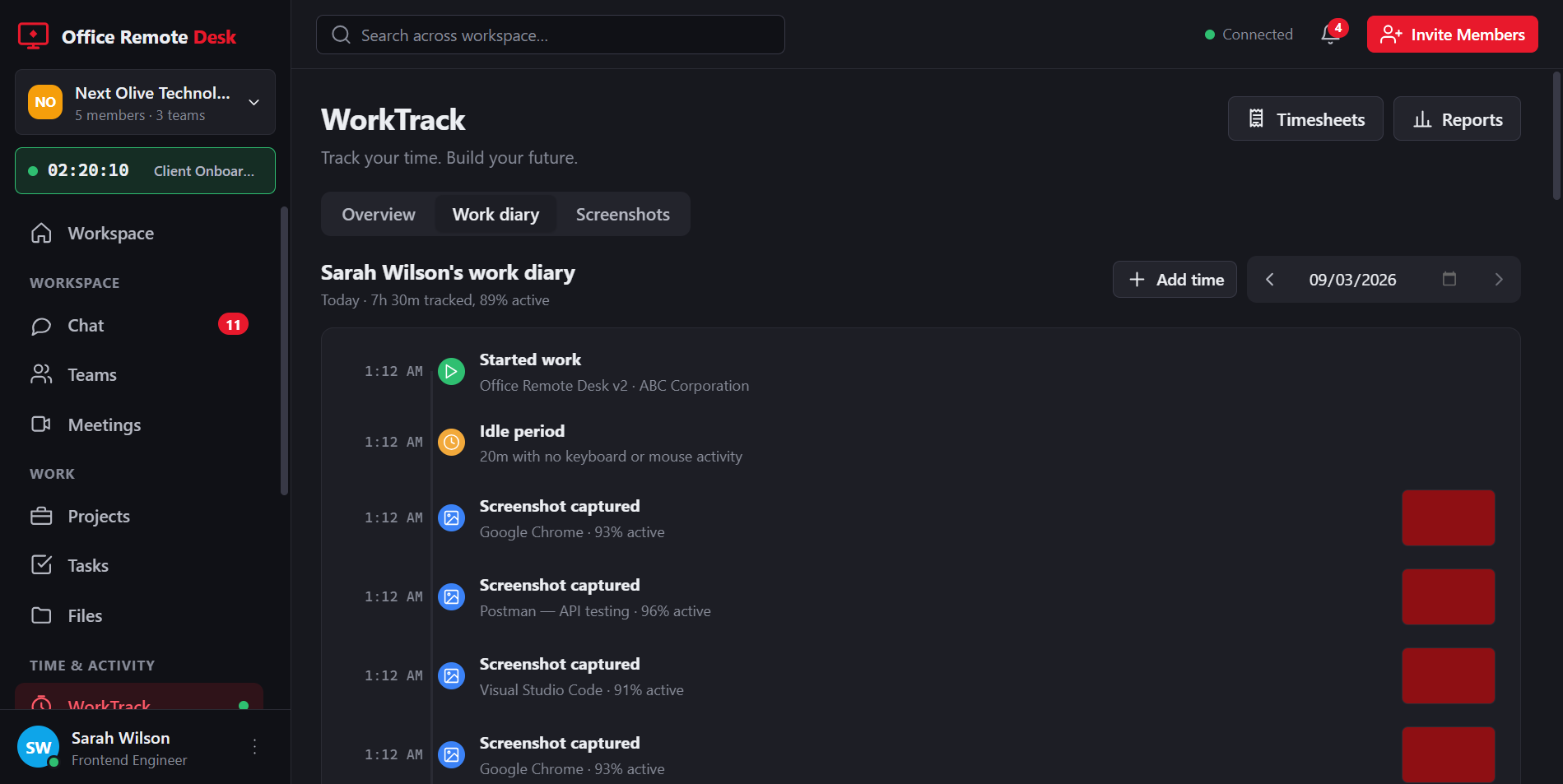
Office Remote Desk: the WorkTrack screen with a running work timer, today's active and idle time, and the workspace sidebar.

End-to-End Encrypted

Sessions and calls encrypted with DTLS-SRTP, peer to peer.

Blazing Fast

Low latency, high performance remote access.

Peer-to-Peer

P2P connectivity for faster and reliable access.

Self-Hosted

Host on your own server. Chat, files and tasks stay with you.

Cross-Platform

Windows, macOS, Linux and Android today; iOS to follow.

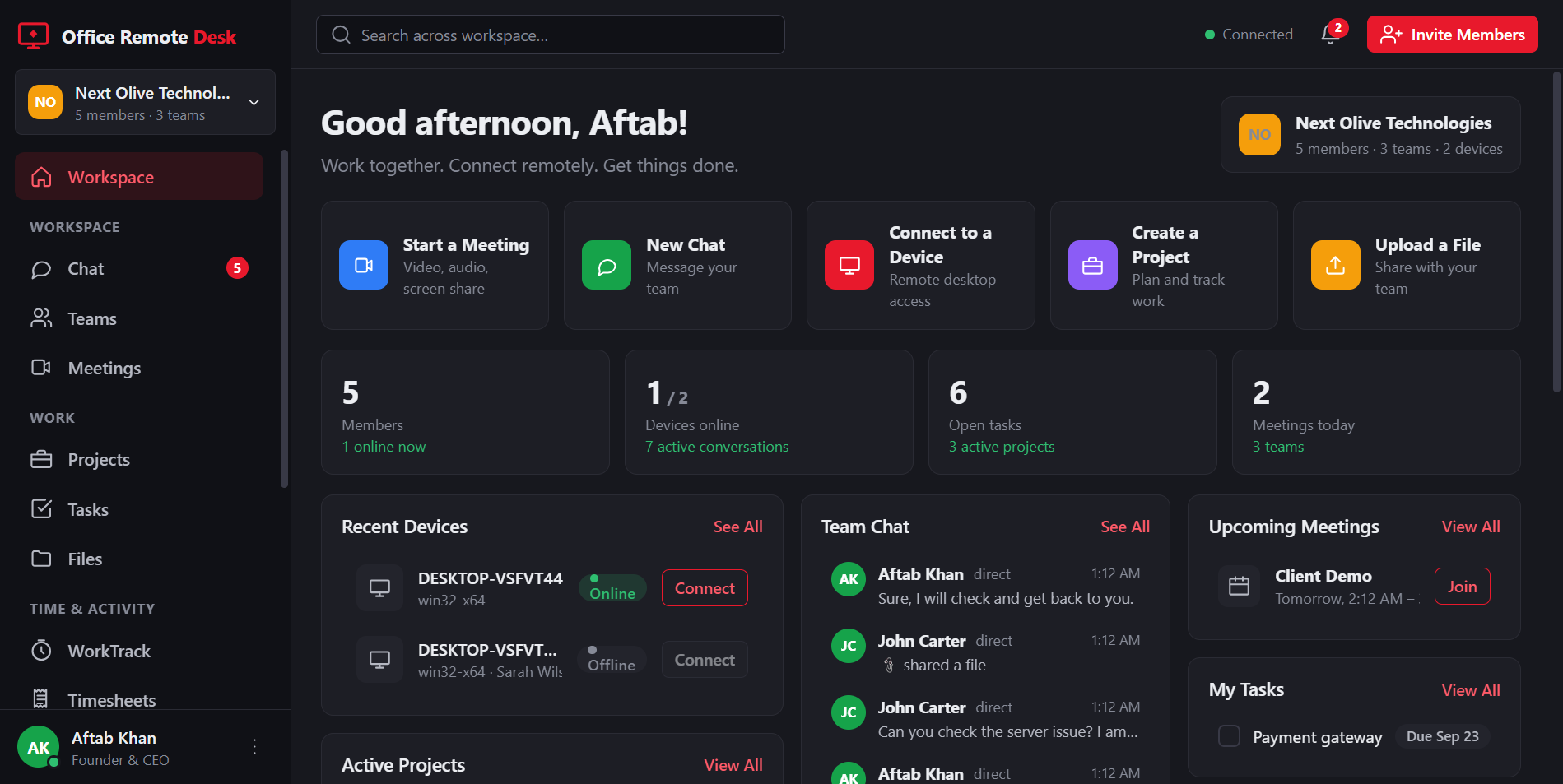
The workspace: channels and direct messages in the sidebar, a project board with tasks, and the team online.

Chat, projects and files — the workspace your team lives in.

Powerful. Secure. Reliable.

One app, from the conversation to the invoice

Office Remote Desk is built for agencies, support desks and distributed teams who need to talk, do the work, prove the hours and get paid for them — without stitching four tools together.

  • Team chat & meetings
  • Projects, tasks & files
  • Time tracking & work diary
  • Timesheets & approvals
  • Rates, budgets & invoices
  • Remote access & file transfer
  • Unattended access
  • Self-hosted, on your server

Explore all features

Talk it through

Meetings that stay between you

Start a call from any channel. Video and audio go straight between participants, encrypted end to end — our server introduces you and then has nothing to read.

Need a record of it? Press Record and the call is written to your computer as a single file. Nothing is uploaded, and everyone in the room sees a recording notice the whole time it runs.

How meetings work

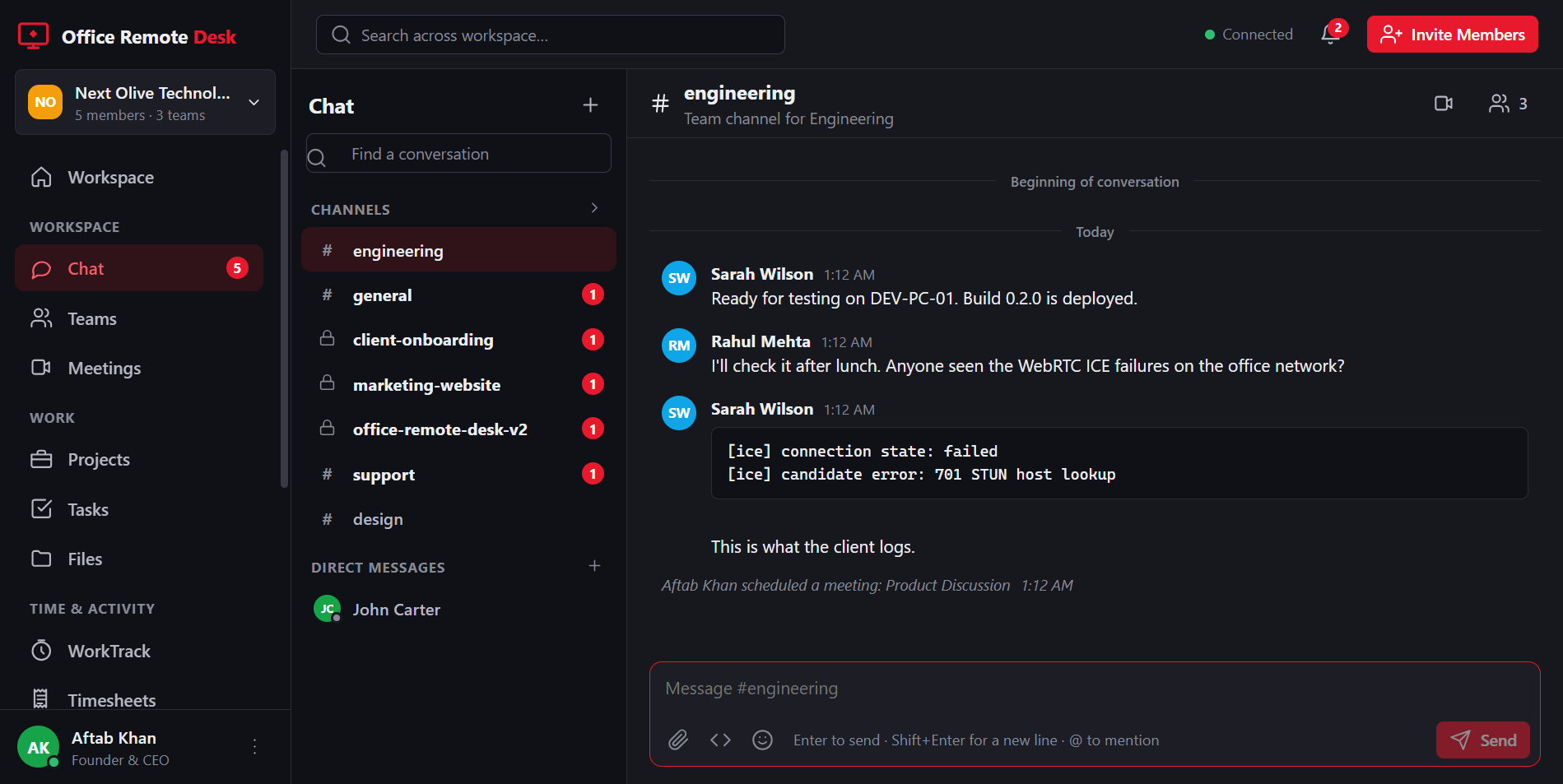
A channel conversation in the workspace, with the meeting and call controls in the header.

Chat, then call, without leaving the channel.

Time & activity

WorkTrack: hours you can actually bill

Your team starts a timer against a client and a project. The week becomes a timesheet, an approver signs it off, and the approved hours become an invoice. No spreadsheet in the middle, and nothing retyped.

Timer & work diary

A day laid out as a timeline: what was started, periodic screenshots, idle stretches and breaks, with an activity percentage measured from real input.

🧾

Timesheets & approval

Submit a week, approve or return it, export to CSV. Admins get a live view of who is working and where the hours are going.

💰

Rates & invoices

Hourly rates and budgets per project, then a PDF invoice built from approved hours only.

The work diary: a timeline of the day with the work that was started, screenshots captured, idle periods and totals.

The work diary — a day laid out as a timeline.

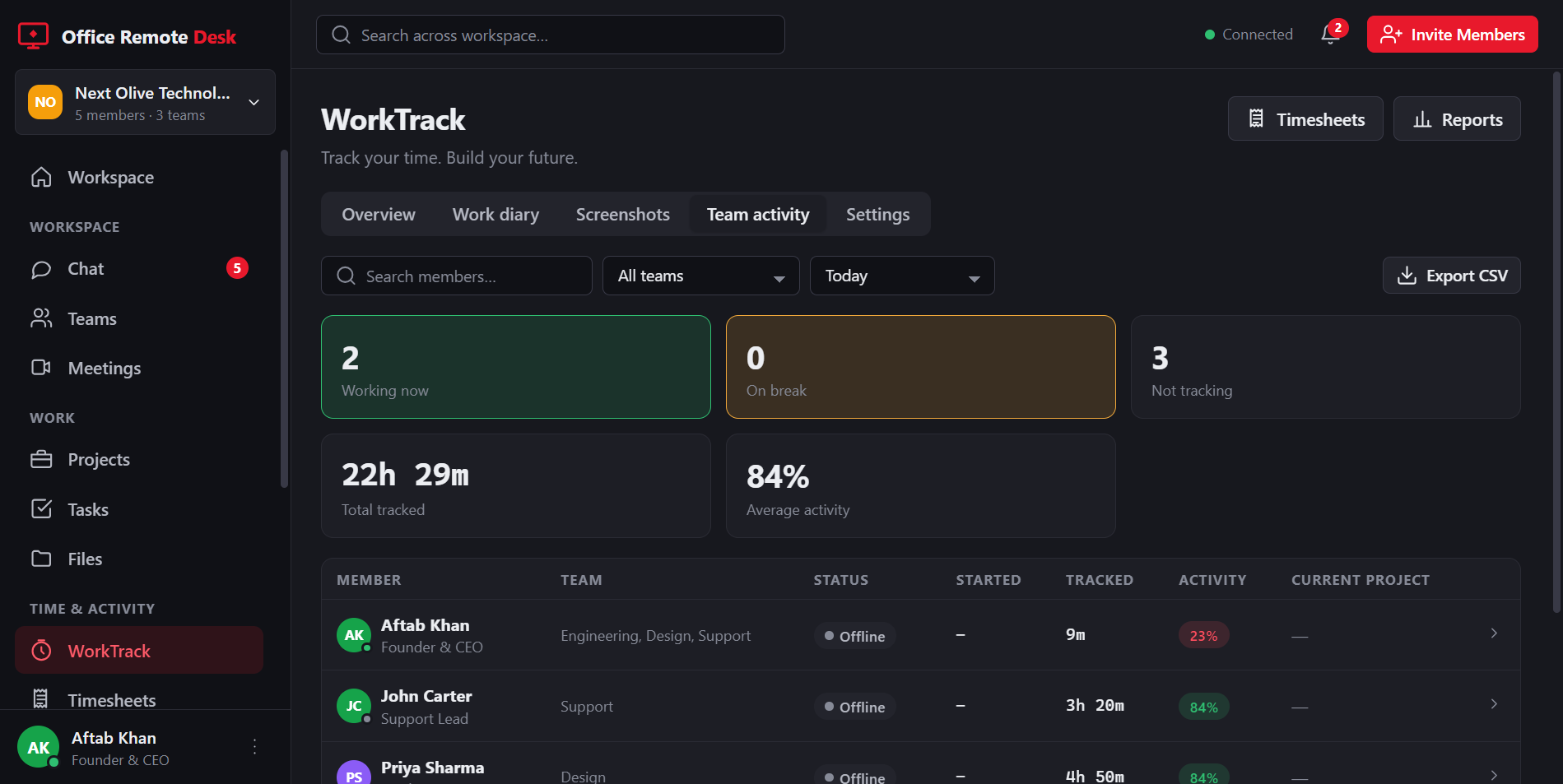
Team activity: who is working now, who is on a break, hours tracked and average activity across the team.

Team activity — who is working, right now.

Counts, never content. WorkTrack records how long you worked and how many keyboard and mouse events there were — never what you typed. Members own their timer, see their own diary and can delete their own screenshots. Read exactly what is and is not recorded →

Ready to Experience Remote Access Like Never Before?

Be among the first to try Office Remote Desk when we launch on 25 August 2026.